
RESOURCE | 8 min read
Your website photos can make or break your business. VWO’s tests shows that replacing paintings with artist photos on an online art retailer’s website increased conversion rates from 8.8% to 17.2% – that’s more than a 95% boost. For Singapore SMEs competing online, the right photos don’t just look good – they drive real business results.
Key takeaways
- Authentic photos outperform stock images. Real team members and genuine customer photos can increase conversion rates by up to 105%.
- Professional quality matters. High-quality, relevant images build trust and credibility, while poor photos undermine your business reputation.
- Copyright compliance is crucial. In Singapore, photographers own copyright by default unless rights are transferred through written contract.
- Multiple photo sources work together. Combine original photos, quality stock images, AI-generated content and user photos for maximum impact.
- Technical optimisation boosts performance. Properly sized and compressed images improve loading speed and user experience.
Why photos are critical for your website’s success
The human brain processes visuals 60,000 times faster than text. For your business, this means your website photos create instant impressions that either build trust or send potential customers elsewhere.
Research consistently shows that websites with authentic, high-quality photos perform better across all metrics. Visitors stay longer, engage more and, most importantly, they convert into paying customers more often.
Getting these results isn’t just about having good photos – it’s also about how they’re integrated into your website’s overall design and user experience. A skilled website developer knows how to position images strategically to guide visitors towards taking action.
Trust & credibility impact
Authentic images featuring real people increase perceived trustworthiness significantly. When visitors see genuine team members or actual customers using your products, they’re more likely to believe in your business. This is especially important in Singapore’s competitive market where trust often determines purchasing decisions.
Emotional connection drives action
Photos that evoke positive emotions – happiness, excitement, confidence – create stronger connections with your audience. A local eatery showing satisfied diners enjoying their laksa or a renovation company displaying proud homeowners in their newly transformed HDB flat, creates emotional hooks that text alone cannot achieve.

Types of photos your business website needs
1. Client-connection photos
Show real customers enjoying your products or services. For a Singapore context, this might be happy families at your restaurant, professionals mingling in your co-working space or satisfied buyers in their newly purchased house. These photos prove your value and help visitors envision themselves as your customers.
2. Product photos
Clear, detailed product images are non-negotiable for businesses selling physical items. Whether you’re selling handmade jewelry from your Etsy shop or traditional kaya toast from your cafe, quality product photos directly impact sales decisions.

3. Service/action shots
Capture your services in action. A physiotherapist working with a client, a tuition teacher explaining concepts or a car mechanic servicing a vehicle. These photos demonstrate your expertise and professionalism.
4. Event photos
Document workshops, grand openings, team building events or community involvement. These images demonstrate your business expertise and establish credibility by showing real activities and achievements rather than just making claims.
5. Team photos
Professional headshots and candid team photos humanise your business. Singaporean customers often prefer dealing with businesses where they can see the people behind the service.
6. Office or workspace photos
Show your professional environment. Clean, organised spaces build confidence in your capabilities. This could be your minimalist design studio, your bustling kitchen, or your tech-equipped workshop.
7. Storefront/exterior photos
Help customers find and recognise your physical location. Include your shophouse facade, your unit in a shopping mall or your office entrance.

4 main sources for website photos
1. Original photos: Your best investment
What are original photos?
These are images specifically created for your business by professional photographers, yourself or your team members.
When to use original photos
- For all key business activities and team members.
- When you need complete creative control.
- For unique products or services.
When building brand authenticity.
Advantages
- Complete ownership and control.
- Unique to your business.
- Builds authentic brand image.
- Can be used across all marketing materials.
Disadvantages
- Higher upfront costs (expect S$150-S$500 per hour for professional photography).
- Time investment for planning and shoots.
- Requires coordination and scheduling.
Important Singapore legal note: Under Singapore’s Copyright Act 2021, photographers automatically own copyright to photos they take unless rights are expressly transferred through written contract. Always clarify ownership before hiring photographers to avoid future licensing issues.
For detailed techniques on taking professional-looking photos yourself, check out my complete guide to DIY website photography.

2. Stock photos: Budget friendly professional option
What are stock photos?
Pre-shot images available for licensing from online libraries like iStock and Shutterstock or free platforms like Pexels.
When to use stock photos
- For generic concepts or backgrounds.
- When budget constraints prevent original photography.
- For quick website launches.
- To supplement original photos.
Advantages
- Immediate availability.
- Professional quality.
- Cost-effective for multiple images.
- Wide variety of subjects and styles.
Disadvantages
- Not unique to your business.
- May appear generic or inauthentic.
- Licensing restrictions.
- Could be used by competitors.
Types of stock photo licences
Editorial use only licence
Restricts usage to news, educational or commentary purposes. Cannot be used for commercial websites or marketing materials.
Rights-managed licence
Grants specific usage rights based on factors like duration, geographic region and exclusivity. More expensive but offers greater control.
Royalty-free licence
Pay once, use multiple times within licence terms. Most common for business websites. Doesn’t mean free – just no ongoing royalties.
Extended or enhanced licence
Allows broader usage including unlimited print runs, merchandise or resale. Required for items that will be sold or distributed.
Creative Commons licence
Free usage with varying attribution requirements:
- CC BY: Attribution required
- CC BY-SA: Attribution + share derivatives under same licence
- CC BY-NC: Attribution + non-commercial use only
- CC BY-NC-SA: Attribution + non-commercial + share-alike
- CC BY-ND: Attribution + no derivatives allowed
- CC BY-NC-ND: Attribution + non-commercial + no derivatives
- CC0: No rights reserved, use freely
For expert tips on choosing the right stock images and avoiding common pitfalls, read my comprehensive stock photo use guide.
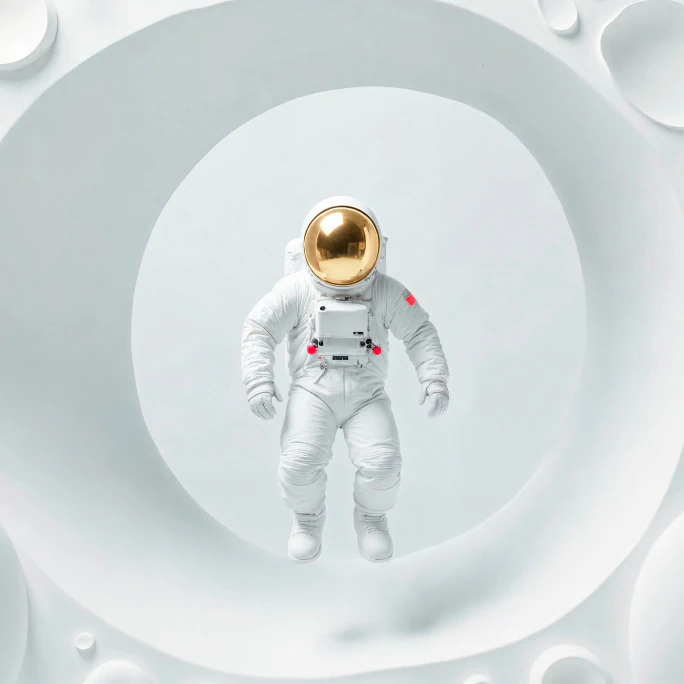
3. AI-generated photorealistic images: The new frontier
What are AI-generated images?
Computer-created images generated from text descriptions using artificial intelligence platforms, such as Midjourney, Stable Diffusion and Dall-E.
When to use AI images
- For unique concepts difficult to photograph.
- When you need complete creative control.
- For illustrations or conceptual representations.
- When budget or time constraints prevent other options.
Advantages
- Unlimited creative possibilities.
- Cost-effective for multiple variations.
- Quick turnaround time.
- No model releases or location permits needed.
Disadvantages
- May lack emotional authenticity.
- Can appear artificial to trained eyes.
- Quality varies between platforms.
- Limited control over specific details.
Important considerations
- Use licensed platforms to ensure commercial usage rights.
- Check terms of service for ownership and usage restrictions.
- Consider potential customer reactions to AI-generated content.
- Always disclose AI usage if required by platform or ethics guidelines.
Learn how to create stunning AI images for your website with my step-by-step AI image generation guide.
4. User/customer generated photos: Authentic social proof
What are user-generated images?
Images created by your customers showing your products or services in real-world use.
When to use customers’ images
- As testimonials and social proof.
- For authentic product demonstrations.
- In social media marketing.
- To show diverse customer base.
Advantages
- Highest authenticity and trust factor.
- Free content creation.
- Shows real-world product usage.
- Builds community engagement.
Disadvantages
- Quality may vary significantly.
- Limited creative control.
- Requires permission and rights management.
- May not align with brand aesthetics.
Legal considerations
- Always obtain written permission before using customer photos.
- Create clear terms for photo submissions.
- Consider offering incentives for quality submissions.
- Respect privacy and cultural sensitivities.

Essential tips for website photo success
1. Prioritise high-quality original photos
While professional photography might seem costly at S$750 for a 2-hour session, it’s an investment that pays dividends. If budget is tight, start with key pages like your homepage and about section, then expand as your business grows.
2. Maintain consistent visual branding
Choose a cohesive color palette, lighting style and composition approach. Whether using original photos, stock images or AI-generated content, consistency builds professional credibility.
3. Use photos to support your story
Every image should serve a purpose – illustrating your value proposition, showcasing outcomes or building emotional connections. Avoid decorative images that don’t contribute to your business goals.
4. Optimise technical performance
- Size appropriately. Use dimensions that match your website’s layout requirements.
- Compress without quality loss. Tools like TinyPNG reduce file sizes while maintaining visual quality.
- Choose efficient formats. WebP format offers superior compression for modern browsers.
- Enable lazy loading. Images load only when needed, improving page speed.
5. Plan for mobile experience
Singapore has one of the world’s highest mobile internet usage rates. Ensure your photos look good and load quickly on smartphones. Consider how images will appear when resized for smaller screens.
6. Regular updates keep content fresh
Outdated photos can hurt your credibility. Update team photos when staff changes occur, refresh product images when you launch new items and replace seasonal content regularly.
Making smart photo decisions for your business
Your website photos aren’t just decorative elements – they’re powerful business tools that influence customer decisions. Research proves that authentic, high-quality images significantly impact conversion rates and customer trust.
For Singapore SMEs, the key is finding the right balance between quality and budget. Start with professional photos for your most important pages, supplement with carefully chosen stock images where appropriate and consider AI-generated content for unique concepts.
Remember that in Singapore’s competitive digital landscape, professional presentation matters. Invest in quality photos that reflect your business values and connect with your target audience. Your website visitors will notice the difference and be more likely to become your customers.
The photos you choose today will represent your business for months or years to come. Make them count.
Let’s turn your website goals into reality
Want a website that’s professional but doesn’t break the bank? I help Singapore SMEs get online with sites that look great and convert visitors into customers. Let’s talk.
Click/tap the WhatsApp button on the right and type away!
The other way:
Request callback by filling in the form below.